
Table of contents
Open Table of contents
Layout
Here are the primary things I focused on in my documentation:
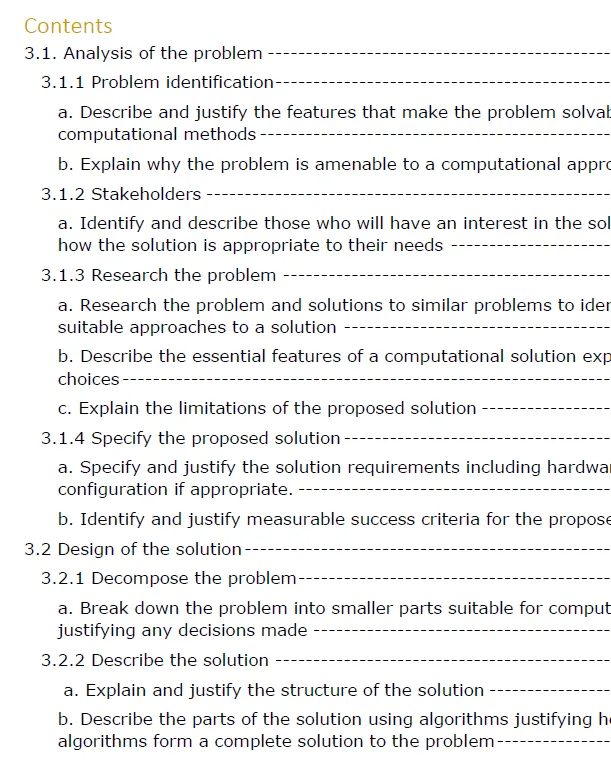
- Follow the 3.1, 3.1.1, 3.1.2 structure throughout the document. This makes it really easy for the marker to know where to look for each mark. I think the specification gives good guidance on this, and I structured everything to this standard.
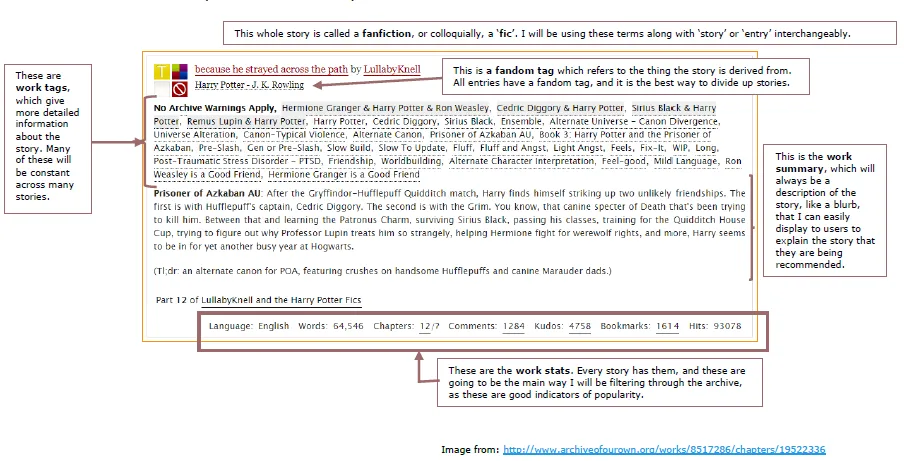
- Lots of screenshots. I used text boxes and arrows to annotate them. This is much more effective than walls of text.
- Bullet points. It helps to keep your points conscise.
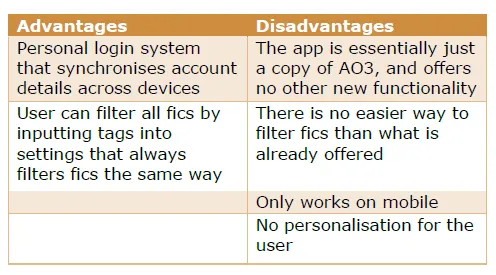
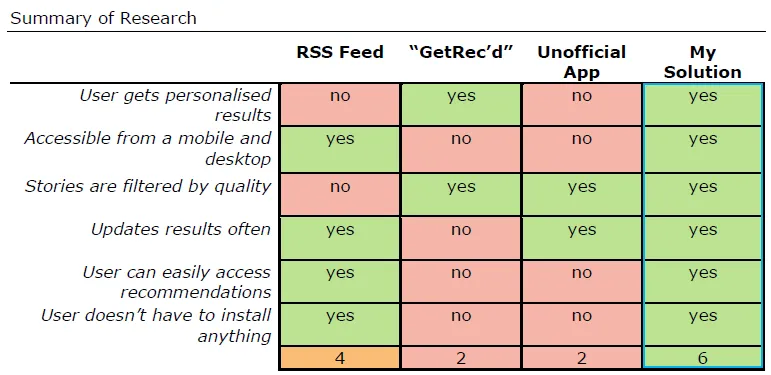
- Tables. Feel free to bold things that are more important. These can be used to make clear the advantages and disadvantages of anything, and also by highlighting boxes in red or green can show sucess or failure.
- Diagrams. Again, makes it much easier to explain big ideas. Elaboration may well be needed, but the marker doesn’t have a lot of time and just wants to make sure you’ve ticked the boxes. Make it easy on them.
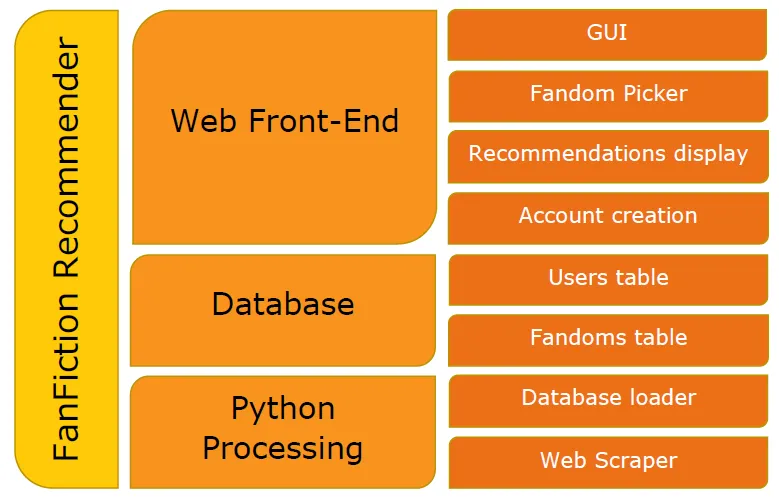
- Code snippets. Avoid showing more code than is necessary for context. The source code is all at the end. Here you are just explaining things. I did my snippets as screenshots, which took up less space and made it easier to annotate on top. No-one is going to properly read and understand your code.
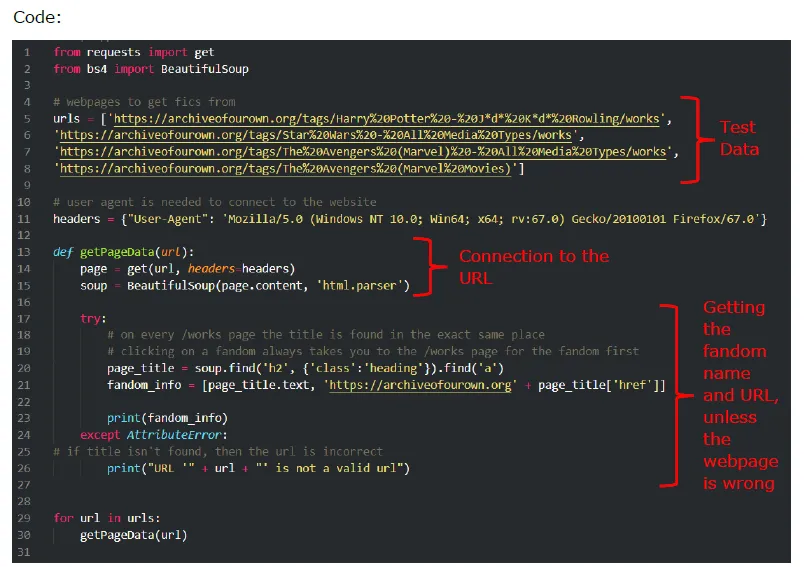
- Document as you code. Take screenshots when things don’t work and make a note about the problems you’re having at that time. I kept a seperate messy document alongside my main one where I wrote notes and kept screenshots. I structured it in the same way as my main one, and most things were drafted there first.
- Don’t make it horrendously long. If you’re over 300 pages, you’ve done too much. Keep things modular where possible, try to rotate between developing and documenting so you get a sense of which errors to talk about and which ones are too easiy fixed, and feel free to change things written earlier to make everything more cohesive.
Hopefully some of those tips should help. I did get a pretty good score in the end. Now I’ll go over what I actually made.