
Table of contents
Open Table of contents
Project Features
My goal for this app was to create a portable and flexible way of tracking how much I’d written. I’d been motivated with writing challenges such as NaNoWriMo before, but with less structured challenges on platforms such as trackbear or spreadsheets I found myself forgetting my goals each day and becoming unmotivated.
What I wanted was:
- the ability to create word goals of any length, over any time period, starting from any day
- to be able to easily see how much progress I’d made.
Since I spend so much time on my phone, I figured a mobile app with a widget would suite my purpose much more than the web apps that didn’t work for me.
These are the components I designed and implemented:
Easy view of current progress
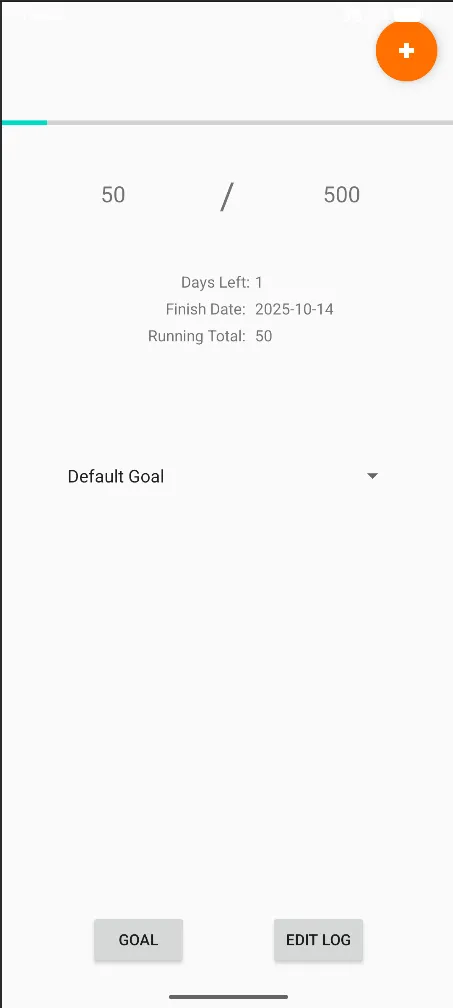
The home screen cleanly displays all the information, and I really like the progress bar that visualises the data. The dropdown allows for multiple projects to be running at once, though one is always set to default (which can be changed by the user).
Easily create a new goal
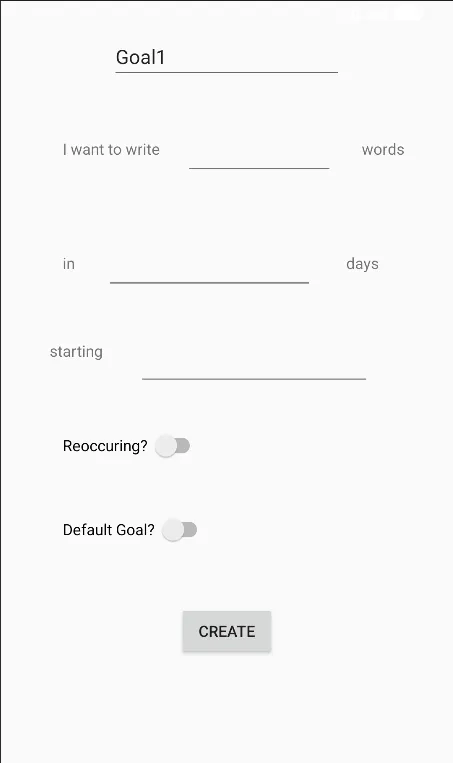
Clicking the Goal button takes the user to a page where they can specify their requirements for the goal. The starting option opens a date selection. The name automatically increments if the user does not change it. Duplicates are not allowed.
Easily update progress
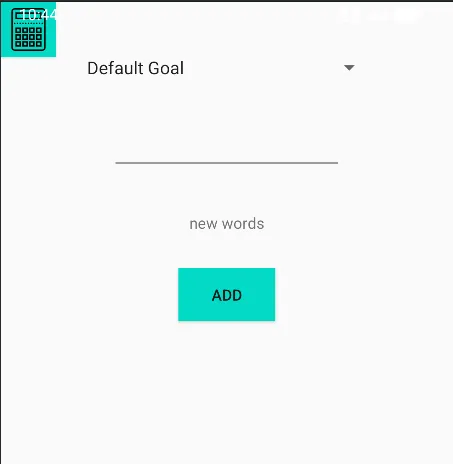
By clicking the + in the top right, the user can quickly update the progress of the goal. The mostly recently used goal is selected by default, and the calculator lets the user add their total word count and then the last total is subtracted. The last total is stored as a shared preferences on the device.
Easily edit data
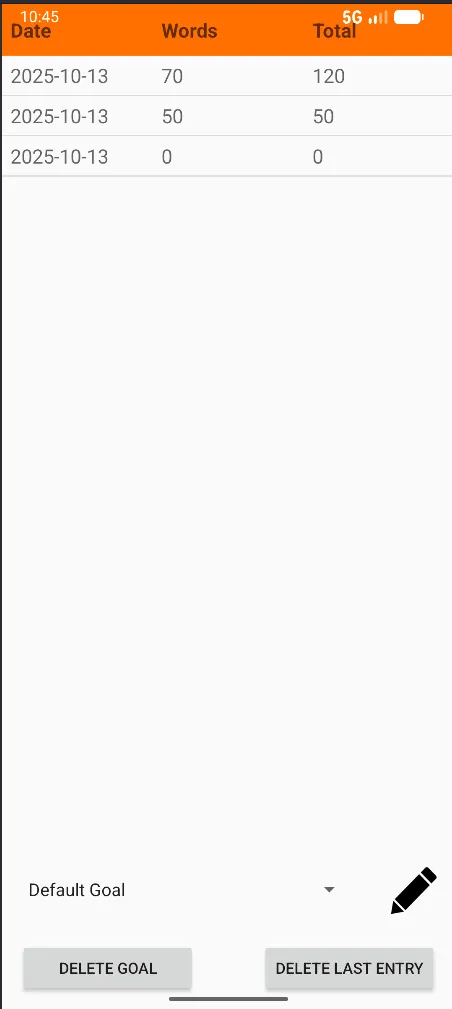
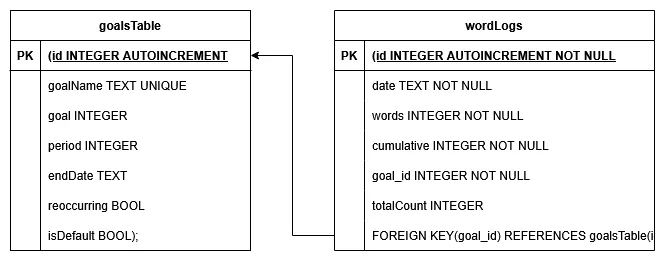
The word counts are all stored on a database on the device.
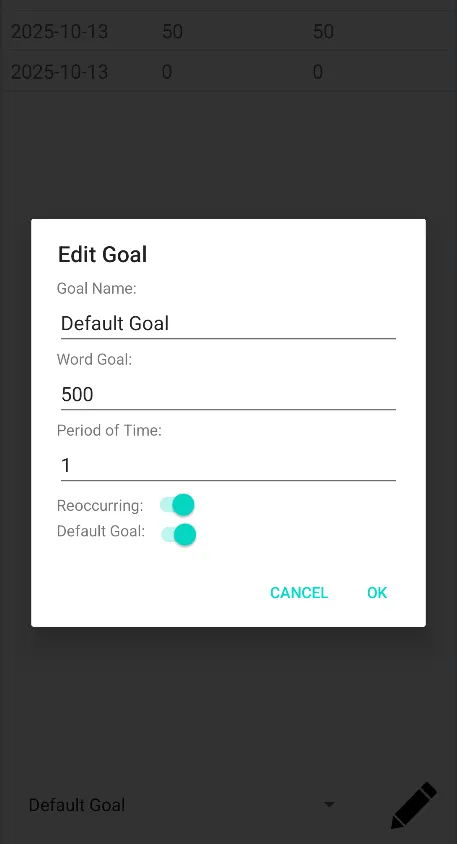
Here the user can edit the goal, and delete the last entry of each goal one by one. This makes sure the running total is consistent.
Homescreen Widget
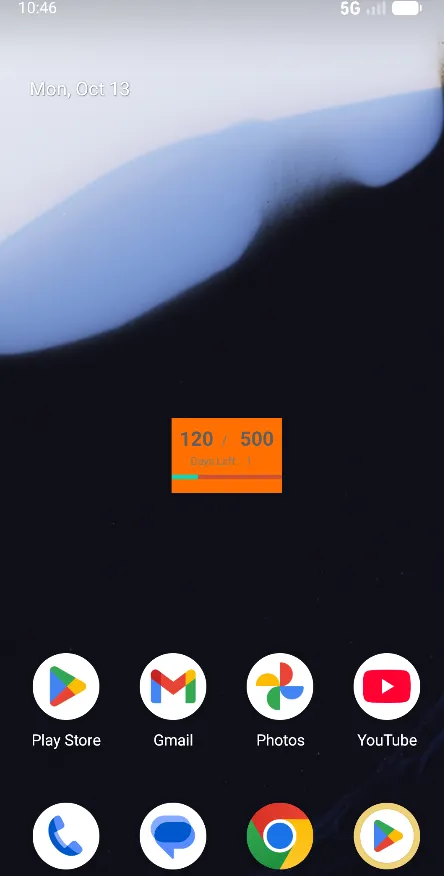
The progress bar and goal is displayed on the home screen. This can be any goal, and is updated when clicked on and goes directly to that goal. When I first made this I had issues with how often this refreshed, so I may revisit this to see if this has changed. This widget reminds me of my goal and also validates my progress, so I like it.
What to do next
- refine the design, adding more aesthetic elements, and finalise the logo
- test on multiple devices and screen sizes
- fully test, both automated and manual
- export into APK format and test on physical device
Tests
| Test | Progress |
|---|---|
| Duplicate goal names | X |
| error characters in goal inputs | X |
| Negative numbers, high numbers | X |
| Default goal, then change, continue messing | X |
| Text instead of date inputted | X |